Race Calendar HD1.1
Publisher Description
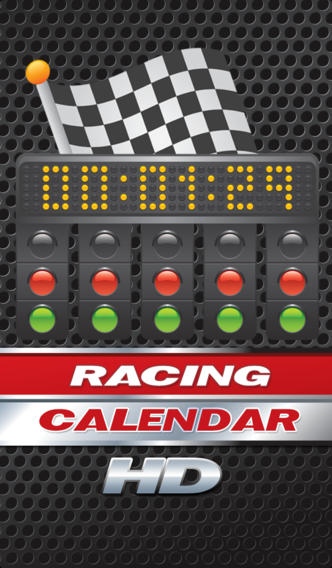
Race Calendar HD is Real-time Worldwide Motorsport Racing Event Calendar for Race Fans and will keep you up to date with every race start of your favourite racing series.
*** F1
F1 - FIA Formula One World Championship
*** INDYCAR
IZOD IndyCar Series (inc Indy 500)
*** OTHER OPEN WHEEL
GP2 - GP2 Series
FR3.5 - Formula Renault 3.5
AUTOGP - AutoGP
LIGHTS - Firestone Indy Lights
F2 - FIA Formula 2
F3 - FIA Formula 3 International Trophy
*** BIKES
MOTOGP - FIM MotoGP
WSBK - FIM World Superbikes
BSB - British Superbikes
*** NASCAR
NSC - Sprint Cup (inc Daytona 500)
NNS - Nationwide Series
NCWTS - Camping World Truck Series
*** ACO / IMSA / LE MANS
WEC - FIA World Endurance (inc Le Mans 24Hr)
ELMS - European Le Mans Series (ELMS)
ALMS - American Le Mans Series (ALMS)
*** OTHER SPORTSCAR
FIA GT1
FIA GT1 World Championship
FIA GT3
FIA GT3 European Championship
BES - Blancpain Endurance Series (inc Spa 24)
GA Rolex - GrandAm Rolex Series (inc Daytona 24)
GA CTSC - GrandAm Continental Tire Challenge
*** TOURING CAR / OTHER TINTOP
DTM - Deutsche Tourenwagen Masters
V8SC - V8 Supercars Australia
WTCC - FIA World Touring Car Championship
BTCC - MSA British Touring Car Championship
*** RALLY
WRC - FIA World Rally Championship
IRC - Intercontinental Rally Challenge
*** MISC/OTHER
Dakar, Nurb.24, IoM TT, Goodwood, Macau F3
*** OTHER
Tour de France, Olympics, 6 Nations
Requires iOS 4.3 or later. Compatible with iPhone, iPad, and iPod touch.
About Race Calendar HD
The company that develops Race Calendar HD is Vidal de Wit. The latest version released by its developer is 1.1.
To install Race Calendar HD on your iOS device, just click the green Continue To App button above to start the installation process. The app is listed on our website since 2012-03-28 and was downloaded 21 times. We have already checked if the download link is safe, however for your own protection we recommend that you scan the downloaded app with your antivirus. Your antivirus may detect the Race Calendar HD as malware if the download link is broken.
How to install Race Calendar HD on your iOS device:
- Click on the Continue To App button on our website. This will redirect you to the App Store.
- Once the Race Calendar HD is shown in the iTunes listing of your iOS device, you can start its download and installation. Tap on the GET button to the right of the app to start downloading it.
- If you are not logged-in the iOS appstore app, you'll be prompted for your your Apple ID and/or password.
- After Race Calendar HD is downloaded, you'll see an INSTALL button to the right. Tap on it to start the actual installation of the iOS app.
- Once installation is finished you can tap on the OPEN button to start it. Its icon will also be added to your device home screen.
